

If you’ve searched for anything on Google in the last year, you’ve seen the AI answer at the top of the page. Until recently, a business had no way of knowing whether its own website was one of the sources feeding those answers. You could guess. You could pay a third-party tool to guess for you. You couldn’t see it from Google.
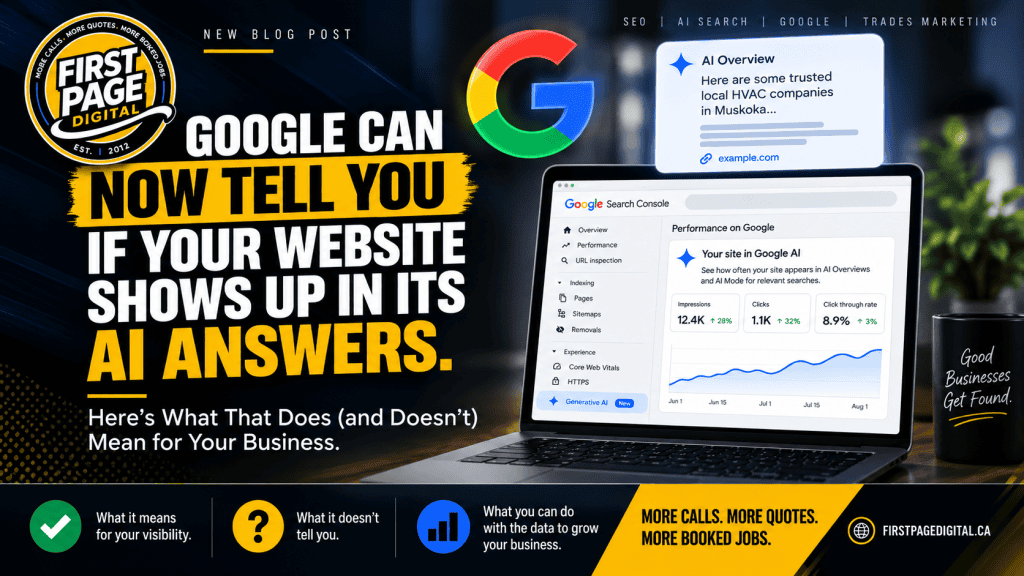
That changed this summer. Google added a Generative AI report to Search Console, the free tool every website owner should already have connected. For the first time, you can see how often your pages appear in AI Overviews, AI Mode, and the AI features in Discover.
It’s a real improvement. It’s also a number that is very easy to misread, and I expect a lot of marketing agencies to misread it on purpose. So here’s the plain version.
What the report actually shows
The report sits in the Performance section of Search Console. Google announced it in June 2026 and it’s still marked as a beta. If your site doesn’t have much AI exposure yet, it may not show up at all.
When it does, you get:
- Impressions: how often a page from your site appeared in one of Google’s AI features
- Pages: which specific URLs were pulled in
- Countries and devices
- Dates, so you can watch the trend over time
One thing worth knowing: these impressions were always counted inside your overall Search Console totals. Google didn’t find new traffic. It separated out a slice that was already there so you can see it on its own.
What “impression” means here
An AI impression means one of your pages was shown within or alongside an AI answer. It might have been linked as a source. It might have been used to build part of the response. It might have been sitting in a list of related links that the person never opened.
That last one matters. An impression is exposure. It is not a visit, a call, or a job. Someone may have read the AI answer, got what they needed, and never noticed your name was under it.
What the report leaves out
This is the part most write-ups skip. The report does not tell you:
- What the person actually searched or asked
- Whether anyone clicked through to your site from the AI answer
- Where your link sat in the answer, or how prominent it was
- What Google wrote using your page
- Whether you were recommended, mentioned neutrally, or used as a “here’s what to avoid” example
- Whether the impression led to a call, a form, a booking, or a dollar
You cannot calculate a click-through rate from it. You cannot connect a specific AI answer to a specific customer. Google may add more over time, but that’s where it stands today.
Why it’s still worth paying attention to
Before this, the only way to measure AI visibility was through third-party tools that run their own sample prompts and report back what they see. Those tools are useful, but they’re estimates. They pick the questions, the locations, and the timing.
Search Console is Google’s own record of what actually happened on Google. That’s a different class of evidence. The two work together: Google shows you the real exposure, the third-party tools help you figure out which questions and competitors are behind it. Neither one is the whole picture.
The honest example: 6,000 impressions and what they were worth
One of our clients publishes a detailed cost guide for their service. Most of their competitors won’t put a price anywhere on their website. In one month, that single page earned over 6,000 AI impressions. Google was pulling it into answers for people asking what the work costs.
Here’s the part I’d want you to hear if you were the client: I can’t tell you how many of those 6,000 people called. Not because I’m hiding it, but because Google doesn’t give me the data to connect the two. What I can tell you is that the page also brings in tracked phone calls through regular search, that people who arrive after reading a cost guide tend to be further along in deciding, and that the client’s name is now the one sitting under the answer when someone in their area asks Google what this work costs.
That’s real value. It is not 6,000 leads, and anyone who reports it to you as if it were is padding the numbers.
How AI impressions should show up in your monthly report
If you pay someone for marketing, this is what you should expect the AI section to look like. In this order, not the reverse:
- Calls, forms, bookings, and jobs. The number that pays the bills.
- Branded searches. Are more people typing your company name into Google than last quarter?
- Traffic that can be identified as coming from AI features.
- AI impressions and which pages earned them.
Impressions at the bottom, as context. If the report leads with impressions and never gets to calls, ask why.
Which pages tend to earn AI visibility
Looking across our clients, the pages that show up in AI answers are almost never the generic blog post. They’re the pages with something Google can’t find on a hundred other sites:
- Pricing and cost guides
- Pages that compare one option against another (metal vs. shingle, heat pump vs. furnace)
- Detailed service pages that explain how the work is actually done
- Town-specific pages with real local detail
- Troubleshooting content written by someone who has fixed the thing
- Case studies and project examples with specifics
There is no special “AI SEO” trick behind any of this. A page that’s properly indexed, answers a real question, shows first-hand experience, and links clearly to the rest of your site is what Google’s AI reaches for. That’s the same thing that ranks it in regular search.
What to do with the report if you’re a contractor
Open Search Console. If the Generative AI tab is there, do this once and then repeat it monthly:
- Export the current numbers so you have a baseline.
- Look at which pages are getting AI impressions. That list tells you what Google trusts you on.
- Open each of those pages and check: Is the information still accurate? Is there a clear way to call or request a quote? Does it link to the related services someone would ask about next? An AI-visible page with no phone number on it is a wasted seat at the table.
- Compare the trend against your branded searches and your tracked calls. You’re looking for patterns over months, not a good week. Google tests different sources for the same questions, and algorithm updates move things around. If your numbers shifted suddenly in late August, check whether the August 2026 spam update hit your site before you blame the AI report.
One more thing. Google also added a control that lets you block your content from its AI features. Some people will tell you to turn it on out of principle. For a local business trying to get customers, that would be shooting yourself in the foot. It removes you from AI Overviews, AI Mode, and AI-driven Discover, and gains you nothing. Leave it alone unless you have a specific legal reason not to.
Where this fits for a local trades business
I’ll end with the part I think matters most for the people I work with.
When someone types “flat roofer near me” or “furnace repair Orillia,” Google still shows a map. Not an AI essay. A map with three businesses on it and a phone number next to each. That is where local calls come from, and it hasn’t changed.
AI answers show up for the questions people ask before they’re ready to hire: what does this cost, which option is better, why is this happening. Being the source for those questions is worth having. It builds trust before the call. But it’s the support layer, not the foundation. That’s why our SEO work for trades starts with the map and the phone, and treats AI visibility as something good pages earn along the way.
The new report is a good tool for measuring that layer honestly. Use it that way. Don’t let anyone sell it to you as the main event.
If you’d like a second set of eyes on what your Search Console is actually telling you, get in touch. I’ll tell you what I see, including if the answer is that you don’t need me.