
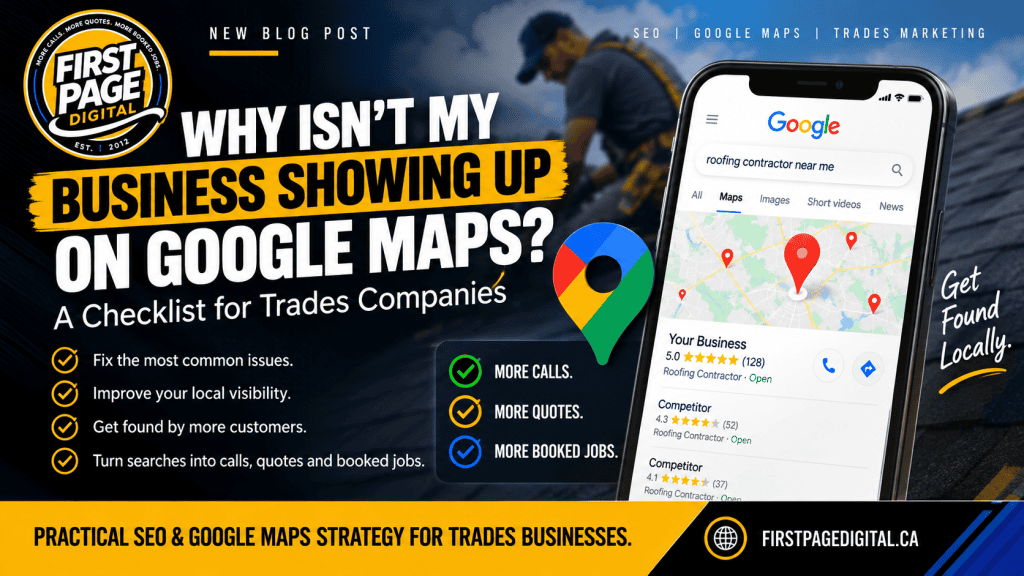

Every week I get some version of the same message from a contractor: “I’ve been in business twelve years, I’ve got great reviews, and when I search for my own trade I’m nowhere on the map. My competitor who started two years ago is right there.”
It’s a fair question, and the answer is almost never “Google hates you.” It’s usually one or two specific things, and about half of them you can fix yourself in an afternoon.
Here’s how to work through it.
First, why the map matters more than anything else on the page
Type “roofer near me” or “electrician Orillia” into Google. Above the regular results, and usually above any AI answer, you’ll see a map with three businesses under it. That’s what the industry calls the local pack or the 3-pack.
For a trades company, that box is where the phone calls come from. Someone searching that way isn’t researching. They need the thing done and they’re picking from what’s in front of them. Most people never scroll past those three.
Google decides who goes in the box using three things, in its own words: relevance (does your business do what they searched for?), distance (how close are you to the searcher?), and prominence (how well known and well reviewed are you?). Every reason below is a failure on one of those three.
The nine reasons, in the order to check them
1. You don’t have a Google Business Profile, or it’s not verified
This is the one people are sure isn’t their problem and often is. A Google Business Profile (it used to be called Google My Business) is the free listing that puts you on the map at all. No profile, no map. Unverified profile, no map either.
How to check: Search your exact business name. If a panel with your name, hours, and reviews shows up on the right (or at the top on mobile), you have a profile. Log in at business.google.com and confirm it says “Verified.” If it’s stuck on verification, that’s your first job; nothing else matters until it’s done.
2. You’re searching from the wrong place
Google’s map results depend on where the searcher is standing. If you’re at home in Coldwater searching “plumber Orillia,” you’ll see a different map than someone standing in downtown Orillia. If your shop is on the edge of town, you may show up for half of it and not the other half.
How to check: Ask a friend or customer in the town you’re targeting to run the search from their phone and screenshot it. Don’t rely on what you see from your own kitchen table.
This one isn’t a problem to fix so much as a reality to understand. Distance is a ranking factor you mostly can’t change. What you can change is everything else on this list, which is how businesses on the edge of town still get in the box.
3. Your primary category is wrong or too general
Your profile has one primary category and a handful of secondary ones. The primary category is the single biggest lever for relevance. A roofer listed as “Contractor” is competing with every general contractor in the region and matching none of the roofing searches well. A company set as “Construction Company” when 80% of the work is concrete flatwork is fighting with one hand tied.
How to check: Open your profile, go to Business Information, and look at the categories. Your primary should be the most specific match for the work you most want. “Roofing contractor,” not “Contractor.” “HVAC contractor” or “Heating contractor,” not “Home services.” Add secondary categories for the other work you do.
4. Your service area or address is set up wrong
Two common versions of this.
If you work from home and hid your address (which Google requires for some businesses), you’re a “service-area business.” Google then relies on the service area you’ve listed, and on other signals, to decide where to show you. If the service area is set to all of Ontario, or to a single town, you’re either too vague or too narrow.
The other version is the shop with a real address in a rural spot between towns. You’re fifteen minutes from everywhere and, as far as the map is concerned, close to nothing.
How to check: In your profile, confirm the address is accurate and the service area lists the actual towns you work in. Not the province, not one town. The eight or ten towns you’d actually drive to.
5. Your name, address, and phone number don’t match across the web
Google cross-references your profile against your website, Facebook, Yelp, HomeStars, the Chamber directory, and dozens of data sources you’ve never heard of. If your profile says “Smith Roofing Ltd.” at “123 Main St.” and your website says “Smith Roofing & Exteriors” at “123 Main Street, Unit B,” and Facebook has your old phone number, Google gets less confident about who you are. Less confidence, less prominence.
How to check: Google your business name in quotes and click through the first two pages of results. Note every version of your name, address, and phone number. Fix the ones you control. Request corrections on the ones you don’t.
6. You have few reviews, old reviews, or reviews with no replies
Prominence is largely reputation, and reviews are how Google measures it. Count matters, recency matters more than people think, and replying to reviews is a signal that the business is active.
A profile with 40 five-star reviews, all from 2022, looks less alive than one with 15 reviews where the newest is from last week.
How to check: Look at the date on your most recent review. If it’s more than two months old, you have a review-flow problem, not a review-count problem. The fix is a habit: ask every happy customer at the end of the job, with a direct link, while they’re standing in front of the finished work.
7. Your website doesn’t say what you do or where you do it
This is the one most contractors miss, because it doesn’t seem like a map problem. It is. Google reads your website to confirm what your profile claims. If the site is one page that says “Quality workmanship, free estimates” and never uses the words “flat roofing” or “Collingwood,” Google has nothing to confirm.
I looked at a roofing site recently where every service was crammed on one page, there wasn’t a single page about any town they served, and the Services page was still titled “Services,” the WordPress default. Established company, good reviews, invisible on the map for their best service.
How to check: Open your site and look for a dedicated page for each main service and a page (or at least a clear section) for each town you want to be found in. If your services all live on one page, or your page titles are “Home,” “Services,” “Contact,” this is your problem.
8. You have a duplicate, suspended, or old listing
Old listings from a previous address, a listing a former employee set up, or a suspension you never noticed can all knock you out of the map. Suspensions are more common than people think, usually triggered by an address change, a name change, or a category that Google decided looks like spam.
How to check: Search your business name and phone number separately in Google Maps. If more than one listing comes up, you’ve got a duplicate to merge or remove. Log in and look for any red banner at the top of your profile.
9. Your competitors are just doing more of the above
Sometimes there’s nothing broken. The three companies in the box have the right category, a hundred recent reviews, a website with a page for every service and every town, and they’ve been at it for three years. You’ll get there. It takes doing the work consistently, and it takes longer than fixing a suspension.
How to check: Click on the three businesses in the box. Count their reviews, note the dates, look at their websites. That’s the bar in your market.
What you can fix yourself today
Items 1, 3, 4, 5, 6, and 8 are free and don’t require a marketing company. Verify the profile, fix the category, set a real service area, clean up your name and address everywhere you find it, start asking for reviews, kill the duplicate listing. That’s a Saturday morning, and for some businesses it’s the whole answer.
I’ll say that plainly because most agencies won’t: if you’re a one-truck operation in a small town and you do those six things, you might not need me.
When it’s worth getting help
Item 7 is where it gets to be real work. Building proper service pages and town pages, writing them so they read like a person and not a keyword list, and connecting them to your profile is the part that takes weeks and doesn’t stay done. It’s also the part that moves you from “on the map sometimes” to “in the box for every service in every town you care about.”
One of our roofing clients had a full flat roofing crew with room on the calendar and couldn’t be found on the map for that service. The profile work moved first, and calls started coming in within about three weeks. The website pages behind it are what keep them there. Not every client moves that fast, but it shows what happens when the map problem is the actual problem. Here’s how the SEO work for trades companies is structured, including what it costs.
If you want a second set of eyes
Send me your business name and the town you most want to be found in. I’ll run the searches from the right location, check the profile, and tell you which of the nine it is. If it’s the free stuff, I’ll tell you that and you can go do it. If your trade and area are already taken by a client of mine, I’ll tell you that too. Get in touch here.
First Page Digital does SEO for trades and home-service businesses across Simcoe County and Muskoka. We report calls and jobs, not traffic. (705) 259-3656 | firstpagedigital.ca